A small home office doesn’t need more square footage to become more functional.
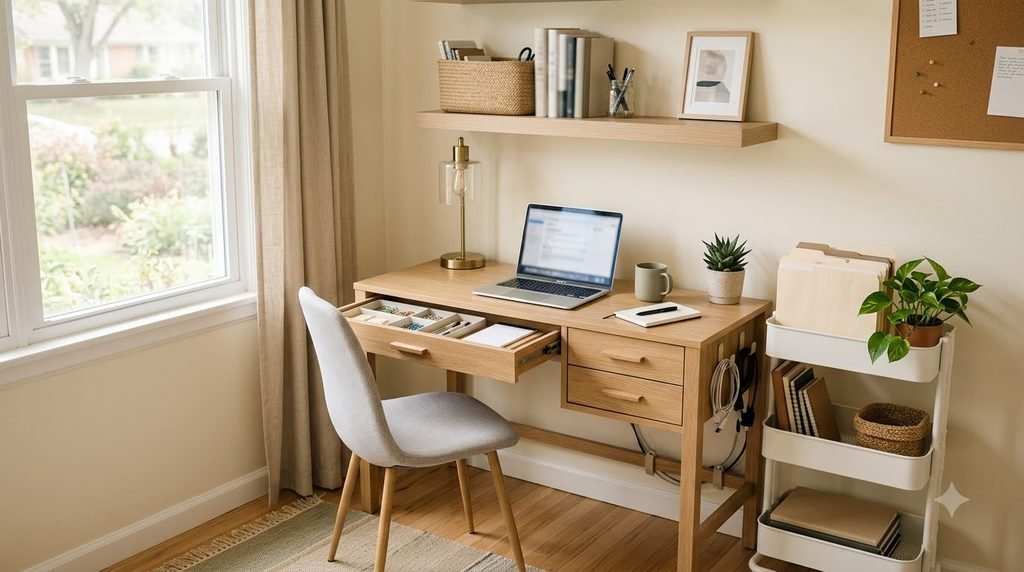
When space is limited, the biggest problems are usually the same: the desk gets covered with papers, cables spread everywhere, office supplies have no clear home, and storage takes up more floor space than the workspace itself.
The solution isn’t always buying a bigger desk or adding more furniture.
Instead, focus on making the space work harder.
A few thoughtful changes—especially using vertical space, organizing by function, and keeping everyday items within easy reach—can turn a cramped corner into a practical workspace.
Whether your office is a dedicated room, a bedroom corner, a closet nook, or part of a multipurpose room, these ideas can help you organize it without making it feel crowded.
Amazon Associate Disclosure: As an Amazon Associate I earn from qualifying purchases.
1. Start by Clearing the Entire Workspace
Before adding organizers, take everything off the desk.
This gives you a chance to see what is actually taking up space.
Create three simple groups:
Keep here — items you use regularly while working.
Move elsewhere — things that belong in another room or another storage area.
Remove — trash, duplicates, broken supplies, and things you no longer need.
A small office can feel cluttered very quickly, so reducing the number of things competing for workspace should come before buying additional storage.
Once the desk is clear, you’ll have a much better idea of what the space actually needs.
2. Define What Your Workspace Needs to Do
Not every home office needs the same setup.
Maybe you mainly use yours for a laptop and occasional paperwork.
Maybe you work from home every day.
Or perhaps your office doubles as a homework area, craft space, or guest-room corner.
Before organizing, ask:
- What do I do here most often?
- Which items do I need every day?
- Which items are used only occasionally?
- What keeps ending up on the desk?
- What makes the space frustrating to use?
Then organize around those answers.
A workspace designed around your actual routine will usually stay organized longer than a setup that simply looks good.
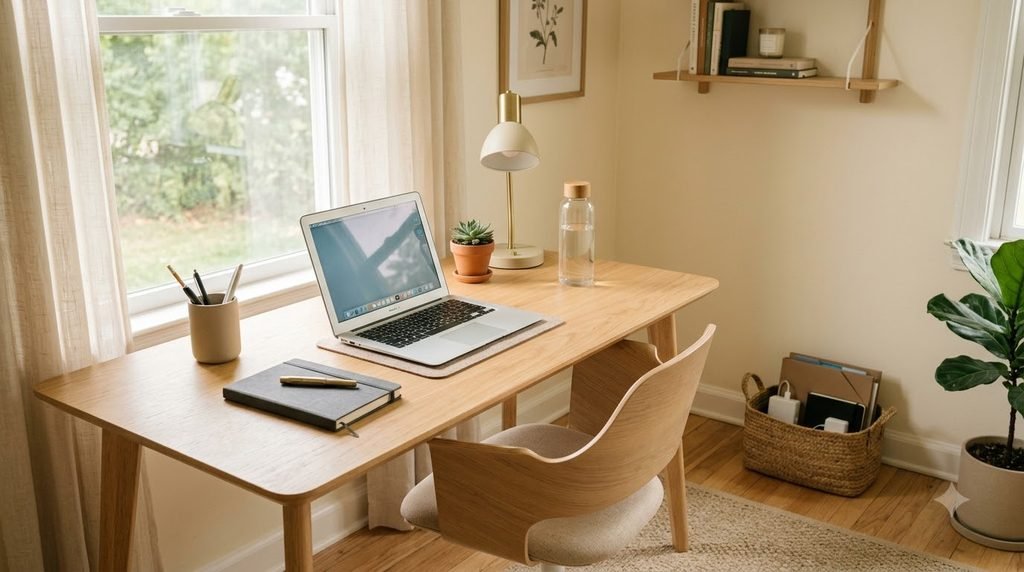
3. Keep the Desktop for Daily-Use Items
One of the easiest ways to make a small office feel larger is to reduce what stays on the desk.
Try keeping only the items you use frequently, such as:
- Computer
- Keyboard and mouse
- One notebook
- Pen holder
- Small desk lamp
- Water bottle
- One or two everyday accessories
Move backup supplies, old paperwork, extra notebooks and rarely used equipment somewhere else.
Your desktop should support the work you’re doing—not become general household storage.
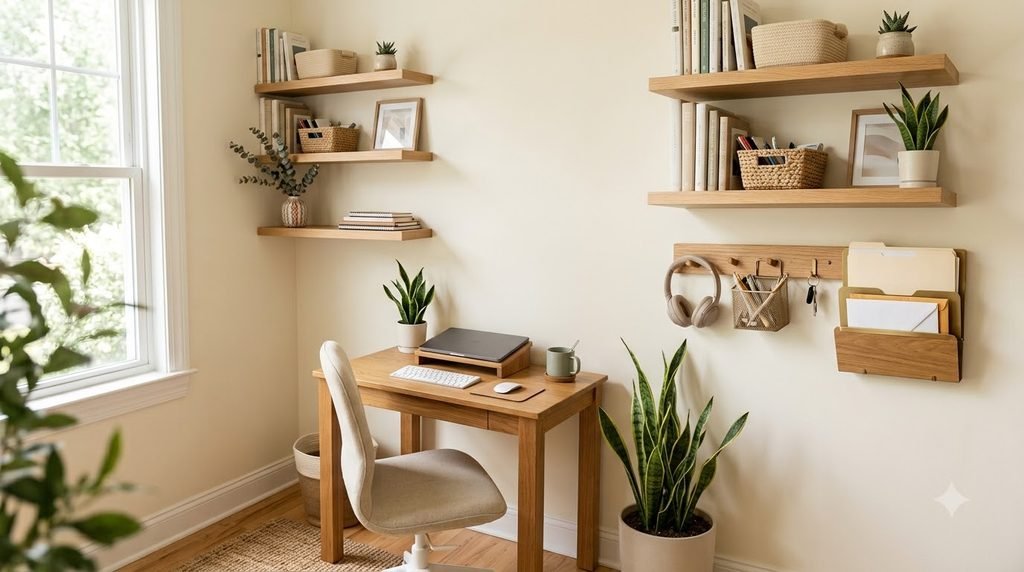
4. Use Vertical Space Before Adding More Floor Storage
When floor space is limited, look upward.
Walls and vertical areas can hold a surprising amount of office supplies without reducing your workspace.
Depending on your setup, consider:
- Floating shelves
- Wall-mounted organizers
- Pegboards
- File holders
- Small baskets
- Vertical shelving
- Hooks for headphones or bags
Current small-home office guidance also emphasizes vertical storage as one of the easiest ways to add capacity when square footage is tight.
The key is not to fill every wall.
Choose one or two areas where vertical storage will make the biggest difference.
5. Create a Dedicated Paperwork Zone
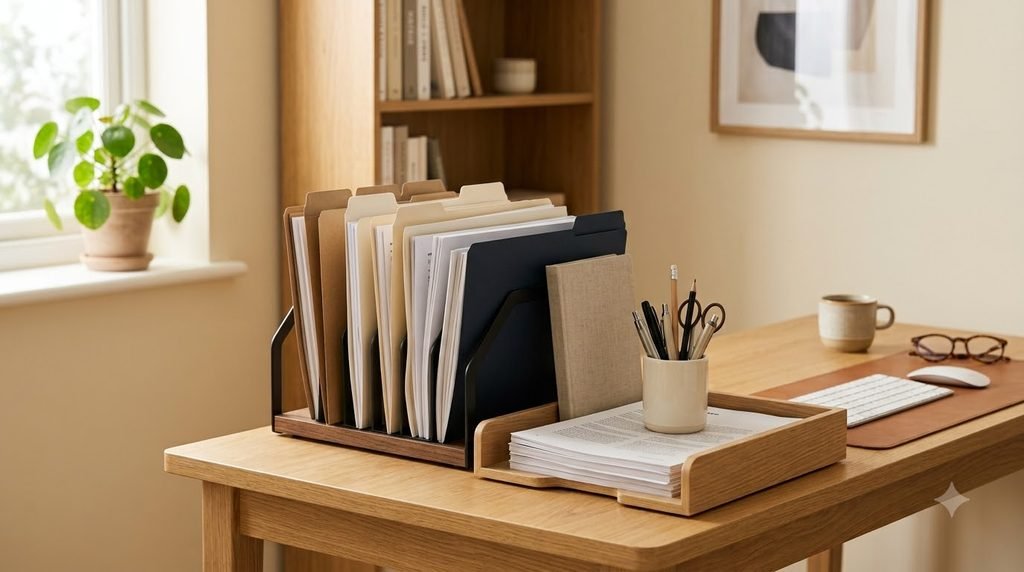
Paper can take over a small home office faster than almost anything else.
Instead of leaving papers in random piles, create one defined paperwork zone.
You might use:
- A vertical file organizer
- Wall-mounted folders
- A document box
- A small desktop file holder
Keep the system simple.
For example:
Action — papers that need attention.
Keep — papers or documents worth storing.
Recycle — papers that no longer serve a purpose.
This makes it easier to deal with paperwork before it becomes another permanent pile.
Best for: Desks with limited drawer space
What to look for: Stable construction, compact width and enough compartments for your actual paperwork categories.
→ Check the current price on Amazon
6. Create a Cable Management Zone
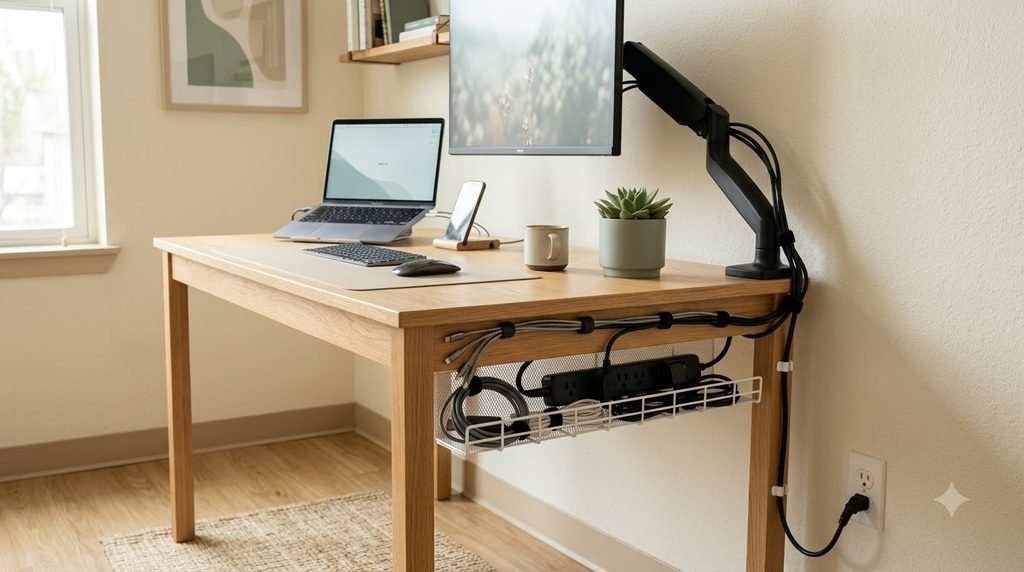
Cables become especially noticeable in small offices because there is less visual space to hide them.
Instead of letting charging cables, monitor cords and power strips spread across the desk and floor, create one cable-management zone.
You can use:
- Under-desk cable trays
- Cable clips
- Velcro-style cable ties
- Cable sleeves
- A cable-management box
The goal isn’t to hide every cable completely.
The goal is to keep cables routed together and away from your main working area.
Best for: Desks with several cables or a power strip
What to look for: Appropriate desk compatibility, enough room for your cables and a secure mounting method.
→ Check the current price on Amazon
7. Organize Desk Drawers by Category
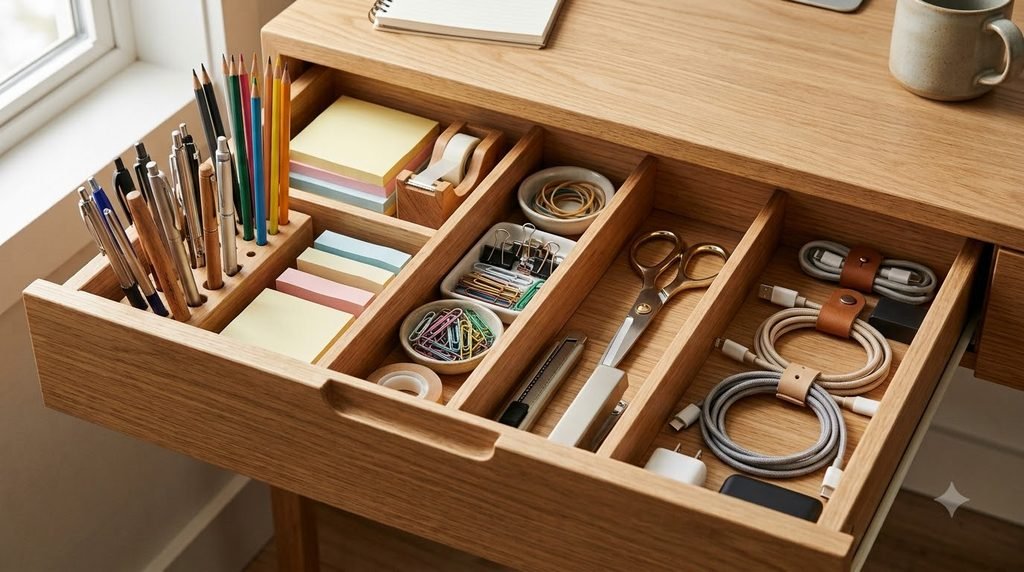
If you have desk drawers, don’t let them become miscellaneous storage.
Assign each drawer or section a purpose.
For example:
Drawer 1: Pens, pencils and writing tools
Drawer 2: Charging accessories and small tech items
Drawer 3: Sticky notes, clips and office supplies
Use dividers to separate categories and prevent smaller items from mixing together.
Best for: Deep or wide office drawers
What to look for: Adjustable dimensions, a secure fit and enough height to separate categories.
→ Check the current price on Amazon
The exact product size should always be checked against the inside dimensions of your drawer.
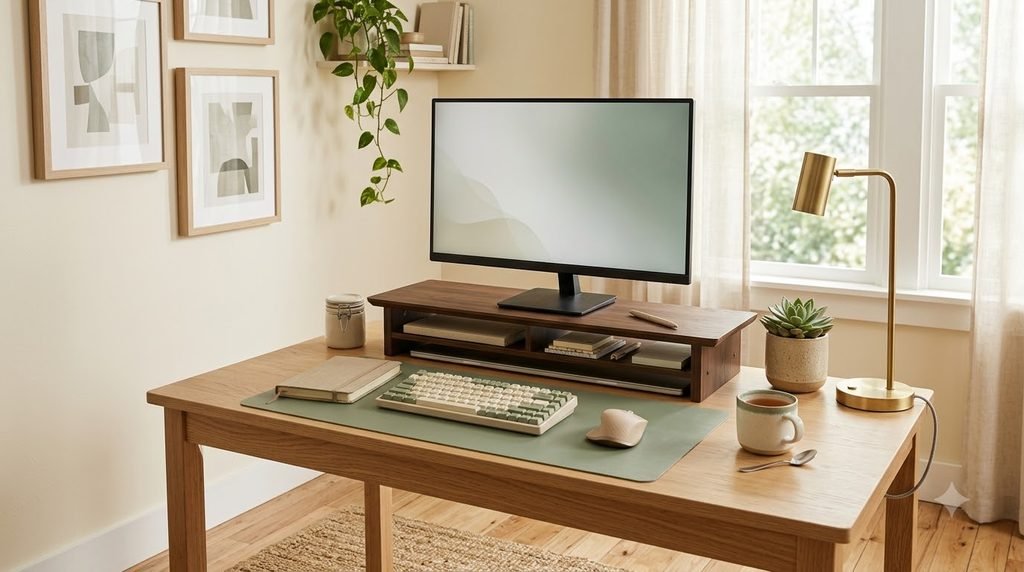
8. Give Your Monitor a Better Position
On a small desk, your monitor can take up a surprising amount of usable space.
A monitor stand or riser can sometimes create another layer of storage underneath.
That area may work for:
- Notebooks
- Keyboard
- Small office supplies
- Headphones
- Charging accessories
Another advantage is simply having a more defined place for the monitor itself.
Best for: Small desks where vertical space can be used
What to look for: Desk footprint, monitor compatibility, weight capacity and enough clearance for the items you want to store underneath.
→ Check the current price on Amazon
Don’t buy one just because it adds storage. Make sure the dimensions actually improve your setup.
9. Use a Small Desk Shelf Instead of More Furniture
If your desk has limited surface area, a compact shelf can create another level without making the workspace much wider.
A small desk shelf can hold:
- Speakers
- Notebooks
- Small plants
- Frequently used supplies
- Charging devices
This works especially well when the wall behind the desk cannot be modified.
Choose something that leaves enough open workspace underneath and doesn’t make the desk feel visually heavy.
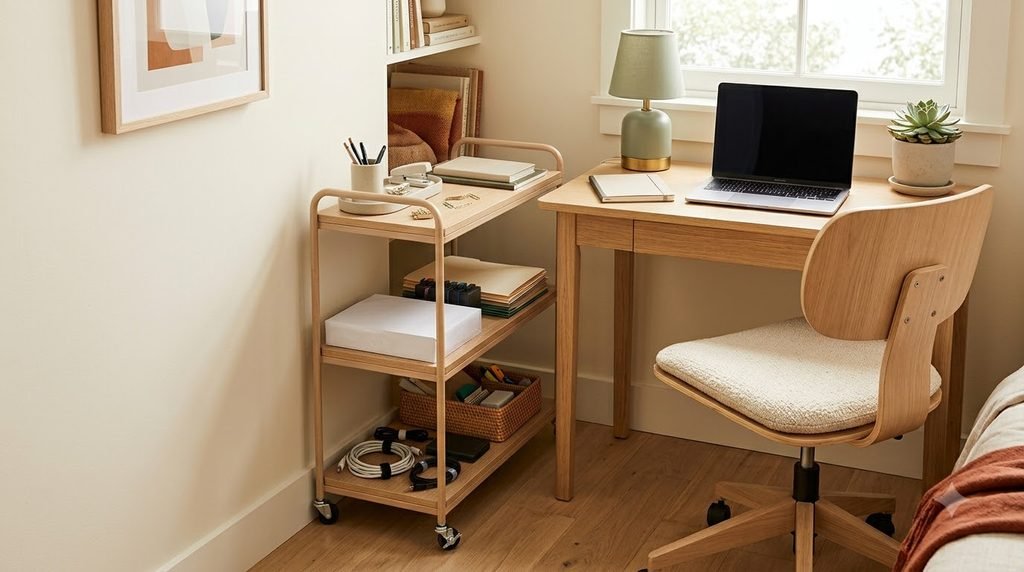
10. Use a Slim Rolling Cart for Overflow Storage
A rolling cart can be helpful when a small office has no room for another cabinet.
Because it can move, it can also serve multiple purposes.
Use one for:
- Printer supplies
- Paper
- Craft materials
- Office backups
- Books
- Tech accessories
A narrow cart can fit beside a desk or in an otherwise awkward gap.
Just measure the space first.
Make sure drawers, doors and the chair can still move comfortably.
Best for: Narrow unused spaces beside a desk
What to look for: Overall width, depth, shelf spacing, wheel quality and whether it fits the surrounding furniture.
→ Check the current price on Amazon
11. Create a Charging Station
Chargers are small, but they create a lot of visual clutter.
Instead of having different cables spread across the desk, create one charging zone.
Depending on your setup, you might use:
- A small charging dock
- A cable-management box
- A drawer section
- A desktop organizer
- A dedicated shelf
Keep only the chargers you actually use in the office.
Store extras and less frequently used electronics elsewhere.
12. Take Supplies Off the Desktop
When every pen, notebook and accessory stays visible, even an organized desk can look crowded.
Use drawers, shelves and wall storage for supplies that aren’t needed every few minutes.
A useful rule is:
Easy to reach doesn’t necessarily mean visible.
Frequently used items should be accessible.
Less frequently used items can be stored nearby but out of the way.
This simple distinction can make a small workspace feel much calmer.
13. Use the Space Under the Desk Carefully
Under-desk space is valuable, but it can also become a clutter trap.
Before putting storage underneath your desk, think about what your legs, chair and feet actually need.
You could use the area for:
- A small rolling drawer unit
- A compact footrest
- A cable tray
- A small storage box
- A slim file holder
Avoid filling the entire area with boxes.
Your workspace needs room to move comfortably.
14. Create a Small Supply Station
If you work from home regularly, keep frequently used office supplies together instead of spreading them across multiple drawers.
A small supply station might include:
- Pens
- Sticky notes
- Scissors
- Tape
- Paper clips
- Notepads
- Highlighters
Use a small container, drawer or basket.
Once the category has a defined home, it’s much easier to put everything away.
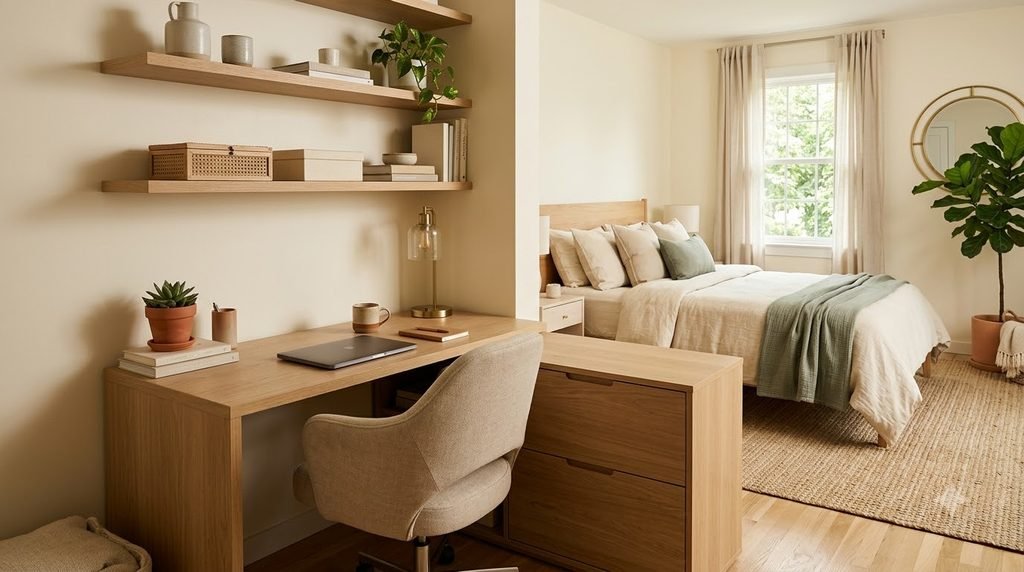
15. Make a Shared Space Work for Two Purposes
Not everyone has a dedicated office.
A home office might share space with:
- Bedroom
- Living room
- Dining area
- Guest room
- Closet
- Hallway
In these situations, create a clear visual boundary between the work zone and the rest of the room.
You could use:
- A small rug
- A compact desk
- A wall shelf
- A room divider
- A curtain
- A storage cabinet
- A fold-away workstation
Current design coverage also highlights integrating desks into bedrooms and multipurpose spaces through intentional placement, concealed storage and furniture that blends with the room rather than dominating it.
The goal is to make the workspace feel like it belongs in the room.
How to Organize a Small Home Office Without Making It Feel Crowded
When you’re working with a small footprint, more storage isn’t always better.
The goal is to create better storage, not simply more storage.
Try this order:
Step 1: Remove
Get rid of obvious clutter and unnecessary duplicates.
Step 2: Group
Put similar items together so you can see what you actually own.
Step 3: Assign
Give each category a practical home.
Step 4: Move Up
Use vertical wall and shelf space where possible.
Step 5: Store Away
Move backup supplies and occasional items off the main work surface.
Step 6: Maintain
Create a short reset routine so clutter doesn’t rebuild.
This approach helps you solve the organization problem before spending money on new storage.
What to Measure Before Buying an Organizer
One of the easiest mistakes with small-space organization is buying storage before measuring.
Before purchasing an organizer, check:
Width
How much horizontal space is actually available?
Depth
Will the organizer stick out too far?
Height
Will shelves, drawers or doors still open?
Clearance
Can your chair, drawers and nearby doors move freely?
Capacity
Will it hold what you actually need?
Access
Can you reach the items easily?
A storage product is only useful if it fits the space and makes the routine easier.
Don’t Buy Storage for Clutter You Don’t Need
Before ordering another organizer, ask:
- Do I use these items?
- Do I need all of them?
- Do I already have something that could work?
- Is this category larger than it needs to be?
- Where will the organizer go?
- Will it make the space easier to use?
This is especially important in a small office.
If you have too many supplies, adding another container may simply hide the problem.
Our guide to 15 Smart Home Organization Solutions for Everyday Clutter also covers this broader approach to choosing storage based on the actual problem.
A Simple 10-Minute Small Office Reset
Your office doesn’t need a full reorganization every week.
Try this quick reset instead.
Minutes 1–2: Clear the desk
Remove cups, papers, wrappers and miscellaneous items.
Minutes 3–4: Return supplies
Put pens, notebooks and accessories back where they belong.
Minutes 5–6: Deal with paperwork
Move papers into your action, keep or recycle categories.
Minutes 7–8: Reset cables
Put charging cables and electronics back into their designated zone.
Minutes 9–10: Prepare for tomorrow
Leave the items you need for your next work session easy to reach.
That’s it.
A small reset done regularly can be more useful than waiting until the workspace becomes completely overwhelming.
Final Thoughts
A small home office doesn’t have to feel cramped to be functional.
The key is to stop treating every surface as storage.
Use the desk for work.
Use drawers for categories.
Use walls for vertical storage.
Use awkward spaces carefully.
Keep backup supplies out of the way.
And before buying another organizer, make sure you’re solving a real problem.
The best small-office organization systems are rarely the most complicated ones.
They’re the systems that make it easy to find what you need, use your workspace comfortably, and put things away when you’re done.
Your office doesn’t need more space.
It needs a system that works with the space you already have.